

Can Palmier Pro's AI Agent Really Handle End-to-End Video Editing?

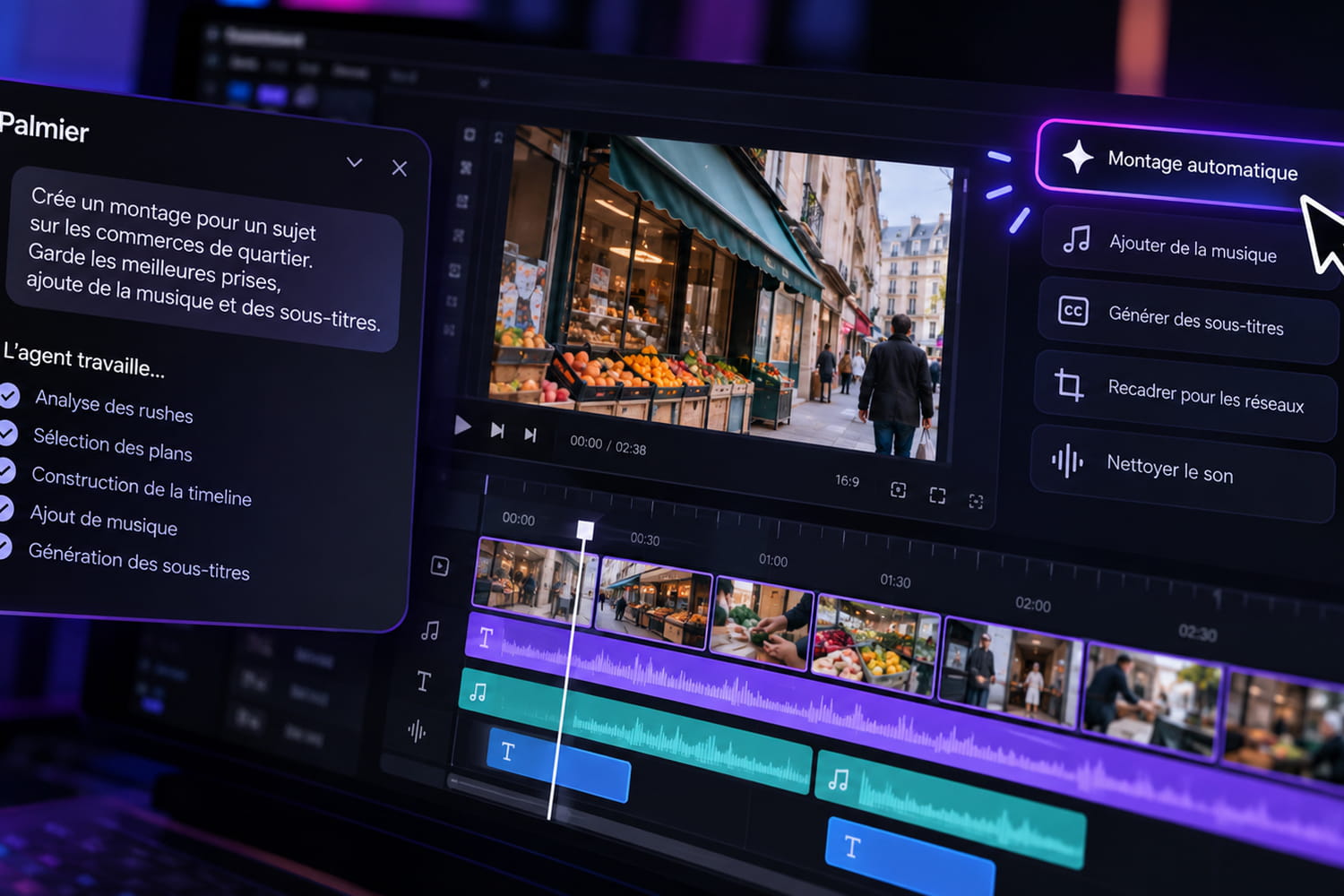
Palmier Pro is a multi-track editing software for Mac. Its standout feature is its integration of the Model Context Protocol (MCP), a protocol that allows an external agent to access the software's available commands. The agent can read the project, cut or move clips, create a timeline, and start an export. Palmier also offers its own built-in chat. For this review, we used two rush files: 18 min 43 s of interviews and a second B-roll file (illustrative shots).
Easy installation, but only for recent Macs
Palmier Pro currently requires macOS 26 Tahoe or later, as well as a Mac with an Apple Silicon chip. Windows, Linux, and Intel Macs are not supported at this time. The interface is that of a classic editing program: media bin, preview, multi-track timeline, and settings panel.
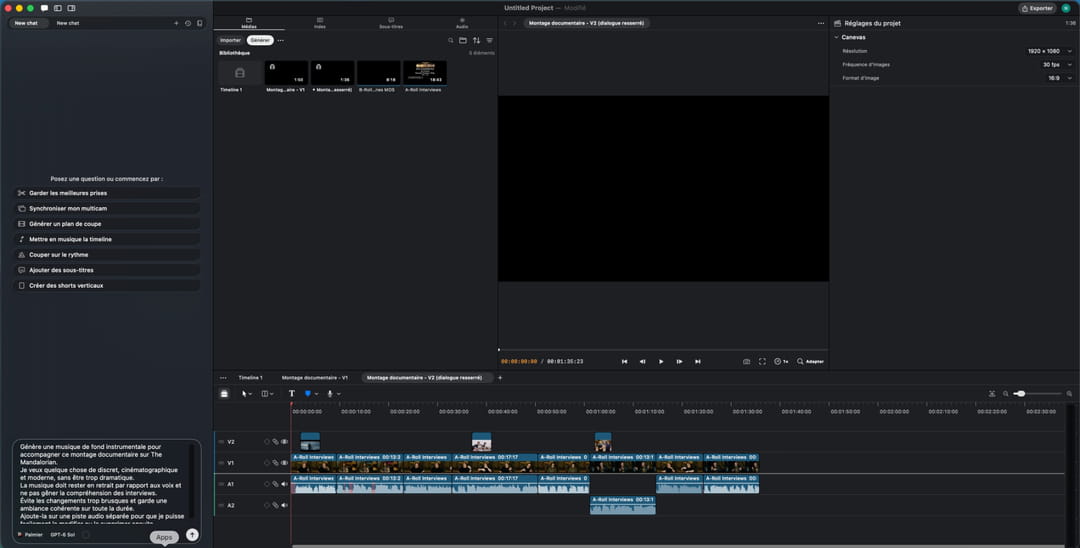
Connecting to an external agent is done in Palmier's settings, which provide the command to add in the tool you're using. If you're already comfortable with a CLI or the MCP protocol, getting started is quick. For beginners, it's less accessible.
A usable first edit, but too rough on the first try
We started with a deliberately broad instruction to see what the agent could infer from the rushes on its own.
Prompt used
Analyze all available interviews and build an initial 90-second to 2-minute documentary edit about the making of The Mandalorian.
Identify the most interesting and complementary excerpts, avoid repetitions, and organize them to create a clear progression.
Do not remove any rushes from the project.
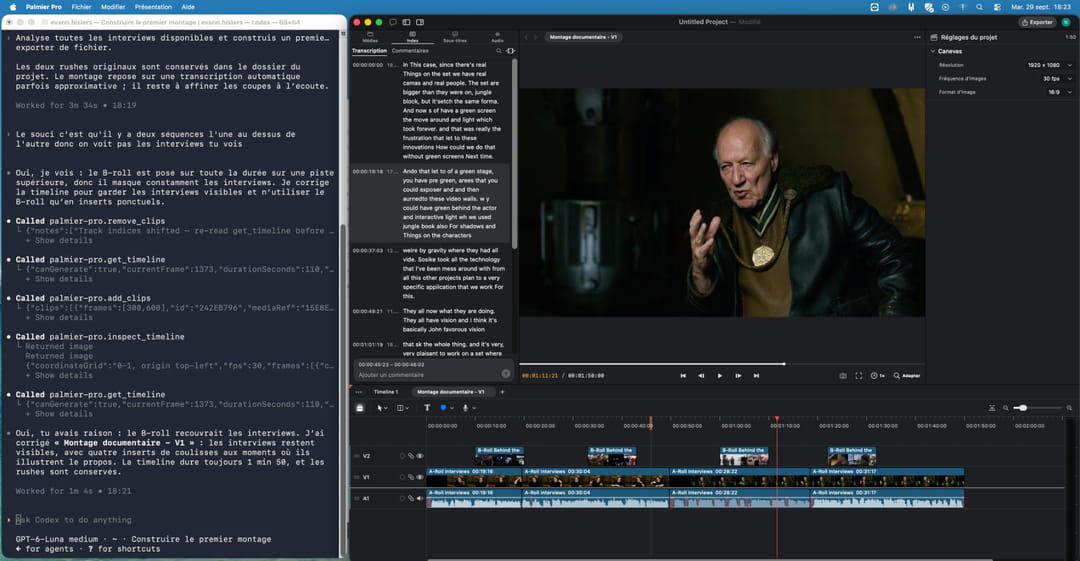
The agent relies on the transcripts and builds a first timeline of about 1 min 50 s. The edit works, but the speaking segments are too long, B-roll is barely used, and at times a video track even covers the interview. This first attempt is too rough to keep as-is. A second, more detailed instruction—specifying excerpt length, speaker alternation, and B-roll use—significantly improves the result. The agent takes about 13 minutes to complete this second pass.
Editing by transcript works, despite some errors
Palmier lets you navigate the transcript and cut video directly from the text. In our test, the agent also used this to find excerpts. The feature is handy, but the English transcript sometimes lacks accuracy. Several sections contain misrecognized words or fragments. For precise cuts, you need to listen to the audio before approving the suggested text. We then asked the built-in chat to create and add background music to the edit.
Prompt used
Generate an instrumental background music track to accompany this documentary edit about The Mandalorian.
I want something subtle, cinematic, and modern, but not overly dramatic.
The music should stay in the background and not interfere with understanding the interviews.
Avoid abrupt changes and keep a consistent mood throughout.
Add it on a separate audio track so I can easily modify or remove it later.
Palmier displays the cost before generating. ElevenLabs Music v2.5 produces a track of about 96 seconds for 20 credits. It's added to a separate track, with fade-ins and fade-outs. This integration means you don't have to generate and then re-import music from an external service. The agent can check that the track is present and positioned on the timeline, but can't assess the mix quality by listening.
The vertical version works, but reframing needs two corrections
Next, we requested a 9:16 vertical version, designed as a standalone piece rather than just a shortened cut.
Prompt used
From the current documentary edit, create a new 9:16 vertical version of 45 to 60 seconds, without modifying the original horizontal version.
Don't just make a shorter version: build a standalone piece around the strongest idea from the edit.
Start with the most attention-grabbing segment to serve as a hook in the first few seconds.
Keep only the essential excerpts and maintain a dynamic pace, avoiding long speaking segments.
Add readable subtitles for smartphones—short, well-segmented, and synced with the voices.
Automatically reframe shots to keep the speaker or key element in the vertical frame.
Use available B-roll when it helps with clarity or pacing, but don't overload the video.
Keep the music only if it works with this shorter format, and adjust its level if needed.
The first version runs 52.4 seconds at 1080×1920. The agent picks a dynamic opening, keeps relevant segments, adds subtitles, reuses B-roll, and keeps the music. However, some interview shots display black bars.
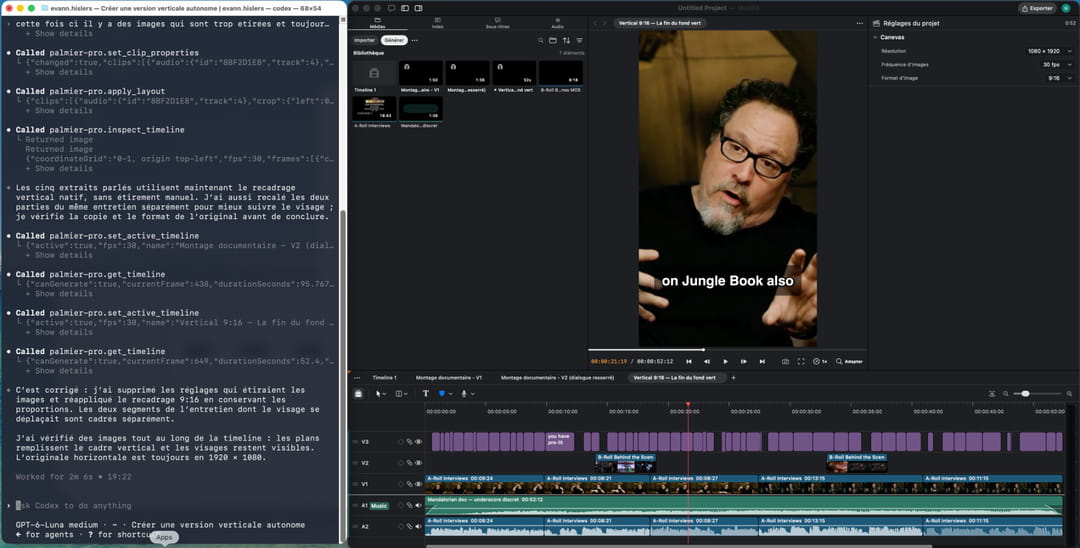
The editorial selection, subtitles, and B-roll use are convincing. The reframing is less so. The first correction removes the black bars but stretches the images. A second follow-up finally fixes the issue with proportional 9:16 reframing, avoiding visual distortion.
Convincing dubbing, a less essential transition
For dubbing, we isolated a short segment with a single speaker to evaluate the translation and lip sync.
Prompt used
Duplicate the current timeline and select a segment of about 20 to 30 seconds with a single, clearly speaking participant.
Create a French-dubbed version of this segment.
Keep the rhythm, timing, and intent of the original voice as much as possible, without changing the image.
The translation should stay true to the meaning and sound natural when spoken.
Do not alter the original English version.
Before any paid generation, tell me the model used, the number of credits needed, and the estimated dubbing duration, then ask for confirmation before starting.
The agent selects 27.4 seconds of video and uses ElevenLabs. The dubbing costs 23 credits. Generation requires an intermediate step, since the tool doesn't process just a portion of the timeline directly. This is the most convincing generative result in our test. The French voice sounds natural, and lip sync works very well on the tested excerpt. The main limitation is the workflow, which is more cumbersome than expected when preparing the segment to dub.
We then tested a generative transition between two interviews. The agent prepares the source images and inserts the result into the edit.
Prompt used
On a copy of the timeline, find a cut between two visually different shots that follow each other in the same segment.
Create a short, subtle AI transition between these two shots using the last frame of the first shot and the first frame of the second.
I want something natural, suitable for a documentary edit, with no flashy effects or obvious transformations.
Do not alter the rest of the timeline.
You can start generation directly.
At the end, tell me the model used, the number of credits spent, the duration of the generated transition, the time required, and any intermediate steps you had to perform.
Palmier captures the two frames around the cut and sends them to Wan 3.0. Generation produces 2 seconds of video at 720×1280 for 20 credits. The subtitles visible on the reference images are included in the generated video. The result is clean, but its value is limited given the 20 credits used. Wan 3.0 essentially creates a crossfade between the two shots.
111 removals in three minutes on a raw interview
We finished by cleaning up an 18 min 43 s interview—a repetitive task where time savings are easy to measure.
Prompt used
Duplicate this raw interview.
On the copy, automatically remove abnormally long silences, clearly unnecessary hesitations, obvious repetitions, and filler words when they can be cut without changing the meaning.
Do not remove any important information or rephrase the statements.
Make natural cuts, without creating abrupt audio breaks.
Keep the original intact for comparison.
At the end, tell me the duration before and after, the number of cuts made, what was removed, the time required, and whether any credits were used.
About three minutes later, the copy is down to 15 min 52 s. The agent reports making 111 removals: 20 long pauses, 80 hesitations, and 11 repetitions. The original remains untouched on a separate timeline. This is one of the most convincing tests: nearly three minutes of unnecessary content are removed without manual intervention on each hesitation. However, the cloud transcription used up credits, and Palmier did not specify the exact amount.
How much does Palmier Pro cost?
| Plan | Price | Credits | Included features |
|---|---|---|---|
| Free | $0 | No credits | Editor, MCP, local transcription, rush search, exports |
| Pro | $29 during the test ($49 regular price) | 5,000 credits / month | AI generation, Palmier chat, cloud transcription |
| Max | $69 during the test ($99 regular price) | 12,000 credits / month | Extra credits and priority support |
Palmier estimates that 5,000 credits equal about 333 images or 2 to 7 minutes of generated video, depending on the model, resolution, and duration. In our test, music used 20 credits, 27.4 seconds of dubbing used 23 credits, and a two-second transition used 20 credits—a total of 63 credits for these three generations. The cloud transcription used during interview cleanup also consumed credits, but Palmier did not specify how many. The actual cost of a full workflow is therefore hard to predict precisely.
Our verdict
Palmier Pro really stands out when automating time-consuming but well-defined tasks: rough cut, interview cleanup, dubbing, or creating vertical formats. More nuanced editing choices remain less certain, and several of our tests required one or two corrections. Its integration of the MCP protocol is especially interesting for creators, agencies, or video teams already using AI agents who want to automate part of their workflow without giving up a real timeline.
This article was automatically translated from French. Read the original version: https://www.journaldunet.com/intelligence-artificielle/1556809-palmier-pro-peut-on-vraiment-confier-un-montage-video-complet-a-un-agent-ia/